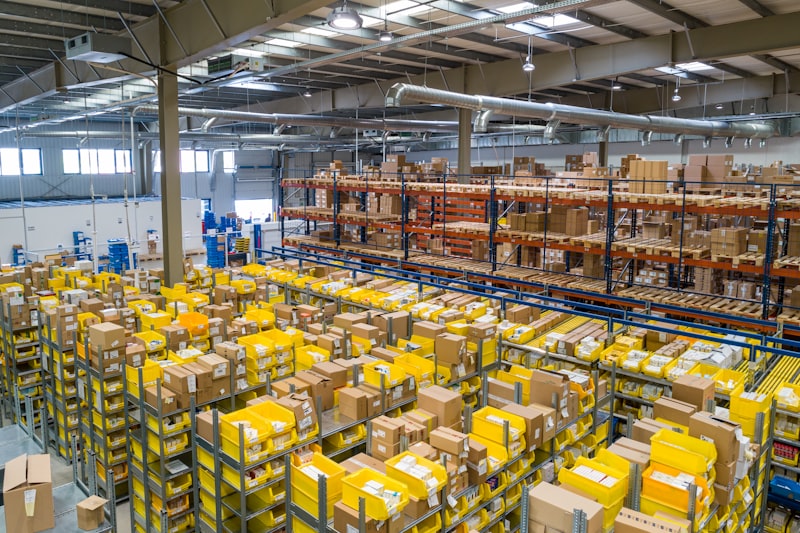
Inventory Optimization: Min-Max Configuration & Purchase Request Automation in SIMRS/ERP
Learn how to implement min-max stock configuration and purchase request automation for operational efficiency. This article guides you step by step, from concept to real code examples, to maintain optimal stock availability in your SIMRS or ERP.
Inefficient inventory management is one of the biggest challenges faced by hospitals, clinics, and other business entities that rely on the availability of stock items. Overstocking causes inflated storage costs, the risk of expiration (especially for medications), and tied-up capital that could be used for other investments. Conversely, understocking can result in delays in patient services, lost sales, or even operational crises due to the absence of essential items. Imagine a hospital pharmacy running out of vital medications because the manual ordering process is slow and error-prone. This situation is not only financially detrimental but can also potentially endanger patients' lives. To overcome this crucial problem, a min-max stock configuration equipped with a purchase request automation feature (purchase request) becomes a highly effective solution. This article will guide you in depth, from basic concepts, technical implementation details using the latest technology, to runnable code examples. We will also discuss handling special cases, best practices, and answer common questions to ensure you can implement this system successfully and achieve optimal operational efficiency.
Basic Concepts of Min-Max Stock and Purchase Request Automation
Min-max stock configuration is an inventory management strategy that sets two quantity thresholds for each item in the warehouse: a minimum level (min_stock) and a maximum level (max_stock). The minimum level, often referred to as the reorder point, is the stock quantity at which the system must trigger a reordering action. Meanwhile, the maximum level is the target stock quantity desired after a purchase order is received, ensuring that stock always remains within the optimal range. For example, for the medication Paracetamol 500mg, the pharmacy might set min_stock at 500 boxes and max_stock at 2000 boxes. This means that when the Paracetamol stock in the warehouse reaches or falls below 500 boxes, the system will automatically trigger a purchase request to replenish stock up to the maximum level.
The main benefits of implementing min-max stock are very significant. First, it proactively prevents stockouts (stockout), which is crucial in healthcare environments where the availability of medications and medical devices can be a matter of life and death. Second, it reduces the risk of overstocking, which means lowering storage costs, minimizing the risk of damage or expiration of goods, and freeing up working capital. Third, this system improves operational efficiency by reducing manual intervention in the reordering process, allowing operational teams to focus on more strategic tasks. A study from APICS (Association for Supply Chain Management) shows that companies adopting automated inventory management practices can reduce inventory costs by up to 15-20%.
Purchase request automation works by integrating min-max stock logic into a management information system, such as a Hospital Management Information System (SIMRS) or Enterprise Resource Planning (ERP). The system will periodically scan stock levels for all items. When an item's stock level is detected to be below the specified min_stock, the system automatically generates a purchase request document. The quantity requested in this PR is usually calculated based on the difference between max_stock and current_stock, or it can also be a fixed amount based on Economic Order Quantity (EOQ). The generated PR can then be forwarded for approval by the purchasing manager before being converted into a purchase order (PO) and sent to the supplier.
Determining factors in setting min-max stock values include: supplier lead time (the time required from ordering until goods are received), average daily or monthly consumption rate, safety stock (buffer stock to anticipate demand fluctuations or delivery delays), ordering costs, and holding costs. As a simple calculation example, Reorder Point (Min_Stock) can be calculated with the formula: (Average Daily Usage × Lead Time in days) + Safety Stock. If a hospital uses an average of 10 units of medication per day, the supplier lead time is 7 days, and the desired safety stock is 50 units, then its Reorder Point is (10 × 7) + 50 = 120 units. This means that when stock reaches 120 units, the system must trigger a PR. Max_Stock can be determined as Reorder Point plus the economic order quantity (for example, 200 units), so Max_Stock = 120 + 200 = 320 units. With this approach, stock management becomes more predictive and data-driven.
Technical Implementation Details in ERP/SIMRS Systems
Implementing min-max stock configuration with purchase request automation requires an integrated system architecture, involving an Inventory module, a Purchasing Module, and an Item Master Data Module. At the database level, we need an `items` table that stores basic product information, including `min_stock` and `max_stock` columns for each item. The `stock_levels` table will record the current stock quantity for each item in each warehouse (`item_id`, `current_stock`, `warehouse_id`). Finally, the `purchase_requests` table will store all generated purchase requests, whether manual or automatic, with columns such as `item_id`, `quantity`, `status` (for example, 'draft', 'pending_approval', 'approved', 'rejected'), and `created_at`.
In the context of system development, we can leverage modern technologies such as Laravel 11.x for the application backend, which provides a robust framework and scheduler features for running automated tasks. PostgreSQL 16 is an excellent database choice due to its scalability, reliability, and support for advanced features for complex inventory data management. For the user interface, Vue.js 3 can be used to build a responsive and interactive dashboard, although the main focus of this automation implementation is on the backend side.
The core logic of this automation is implemented as a scheduled task or cron job. In Laravel, this can be set up using the Laravel Scheduler, which allows us to define commands or jobs that will run at specific time intervals (for example, every 30 minutes or every hour). This task will query the `stock_levels` table to identify items where `current_stock` is below the `min_stock` recorded in the `items` table. An example query would look for `stock_levels.current_stock < items.min_stock` by joining the two tables based on `item_id`.
When an item meeting the criteria is detected, the system will trigger the creation of a new entry in the `purchase_requests` table. The requested quantity (`quantity`) in this PR is calculated as `items.max_stock - stock_levels.current_stock`. The initial status of the PR is usually 'draft' or 'pending_approval', awaiting review from the purchasing manager. After the PR is successfully created, it is important to implement a notification mechanism. This notification can be an automatic email to the purchasing manager, a message to an internal communication application (such as Slack or Microsoft Teams via webhook), or even direct integration into the purchasing manager's dashboard within the ERP/SIMRS system itself. The importance of accurate data cannot be overstated; real-time synchronization of stock data from every transaction (sales, goods receipt, inter-warehouse transfers) is key to the success of this system. Master data accuracy, including always up-to-date min_stock and max_stock, is also fundamental to preventing anomalies in the automation process.
Example Implementation Code and Database Structure
To illustrate the technical implementation, let's look at an example code in the context of Laravel 11.x. First, we need to ensure a supporting database structure. The following is a Laravel migration for the `items` table that includes the `min_stock` and `max_stock` columns, as well as the `stock_levels` and `purchase_requests` tables.
<?phpnamespace DatabaseMigrations;use IlluminateDatabaseMigrationsMigration;use IlluminateDatabaseSchemaBlueprint;use IlluminateSupportFacadesSchema;class CreateInventoryTables extends Migration{ public function up(): void { Schema::create('items', function (Blueprint $table) { $table->id(); $table->string('name'); $table->string('sku')->unique(); $table->integer('min_stock')->default(0); $table->integer('max_stock')->default(0); $table->timestamps(); }); Schema::create('warehouses', function (Blueprint $table) { $table->id(); $table->string('name'); $table->string('location'); $table->timestamps(); }); Schema::create('stock_levels', function (Blueprint $table) { $table->id(); $table->foreignId('item_id')->constrained('items'); $table->foreignId('warehouse_id')->constrained('warehouses'); $table->integer('current_stock')->default(0); $table->unique(['item_id', 'warehouse_id']); $table->timestamps(); }); Schema::create('purchase_requests', function (Blueprint $table) { $table->id(); $table->string('pr_number')->unique(); $table->foreignId('item_id')->constrained('items'); $table->foreignId('warehouse_id')->constrained('warehouses'); $table->integer('requested_quantity'); $table->enum('status', ['draft', 'pending_approval', 'approved', 'rejected', 'ordered'])->default('draft'); $table->text('notes')->nullable(); $table->timestamps(); }); } public function down(): void { Schema::dropIfExists('purchase_requests'); Schema::dropIfExists('stock_levels'); Schema::dropIfExists('warehouses'); Schema::dropIfExists('items'); }}This migration creates the `items` table with the `min_stock` and `max_stock` columns, the `warehouses` table to support multiple warehouses, the `stock_levels` table to record stock per item per warehouse, and the `purchase_requests` table to store purchase requests. It is important to note that `min_stock` and `max_stock` are defined at the item level, while `current_stock` is at the item-per-warehouse level. This allows flexibility in managing stock across various locations.
Next, we will create an Artisan Command in Laravel tasked with checking stock and automatically creating purchase requests. This command will then be scheduled to run periodically using the Laravel Scheduler.
<?phpnamespace AppConsoleCommands;use AppModelsItem;use AppModelsStockLevel;use AppModelsPurchaseRequest;use IlluminateConsoleCommand;use IlluminateSupportFacadesDB;class AutoGeneratePurchaseRequests extends Command{ protected $signature = 'inventory:auto-pr'; protected $description = 'Automatically generates purchase requests for items below min stock level.'; public function handle(): int { $this->info('Starting automatic purchase request generation...'); $lowStockItems = StockLevel::join('items', 'stock_levels.item_id', '=', 'items.id') ->whereRaw('stock_levels.current_stock < items.min_stock') ->select('stock_levels.*', 'items.name as item_name', 'items.min_stock', 'items.max_stock') ->get(); if ($lowStockItems->isEmpty()) { $this->info('No items found below minimum stock level.'); return Command::SUCCESS; } foreach ($lowStockItems as $stockLevel) { $neededQuantity = $stockLevel->max_stock - $stockLevel->current_stock; if ($neededQuantity <= 0) { $this->warn("Item {$stockLevel->item_name} (ID: {$stockLevel->item_id}) has current stock {$stockLevel->current_stock} but max stock {$stockLevel->max_stock}. Skipping PR generation."); continue; } // Check if there's already a pending PR for this item in this warehouse $existingPendingPR = PurchaseRequest::where('item_id', $stockLevel->item_id) ->where('warehouse_id', $stockLevel->warehouse_id) ->whereIn('status', ['draft', 'pending_approval']) ->first(); if ($existingPendingPR) { $this->info("Skipping PR for {$stockLevel->item_name} (ID: {$stockLevel->item_id}) in Warehouse {$stockLevel->warehouse_id}: existing pending PR #{$existingPendingPR->pr_number}."); continue; } DB::transaction(function () use ($stockLevel, $neededQuantity) { $pr = PurchaseRequest::create([ 'pr_number' => 'PR-' . date('YmdHis') . '-' . uniqid(), 'item_id' => $stockLevel->item_id, 'warehouse_id' => $stockLevel->warehouse_id, 'requested_quantity' => $neededQuantity, 'status' => 'draft', 'notes' => 'Auto-generated by system due to low stock.' ]); $this->info("Generated PR #{$pr->pr_number} for {$neededQuantity} units of {$stockLevel->item_name} (ID: {$stockLevel->item_id}) in Warehouse {$stockLevel->warehouse_id}."); // Further integration: send notification, log, etc. // Example: event(new PurchaseRequestCreated($pr)); }); } $this->info('Automatic purchase request generation finished.'); return Command::SUCCESS; }}The code above defines an Artisan Command `inventory:auto-pr`. This command performs a join between `stock_levels` and `items` to find all items in any warehouse whose stock is below `min_stock`. For each item found, it calculates the required quantity (`max_stock - current_stock`) and then creates a new entry in the `purchase_requests` table. It is important to add a check to avoid creating duplicate PRs for items that already have a PR still in 'draft' or 'pending_approval' status. After the PR is created, you can add logic to send notifications or trigger other events in your system. This command is then scheduled in `AppConsoleKernel.php` to run, for example, hourly: `$schedule->command('inventory:auto-pr')->hourly();`.
Handling Special Cases and Integration
In implementing a purchase request automation system, we often encounter special cases that require careful handling to maintain system reliability. One scenario that may occur is a failure in processing a purchase request, even though the system has successfully created it. For example, the system tries to send the PR to a supplier API, but a connection failure or error response occurs. Below is an example JSON payload for a realistic purchase request, followed by an example error message and how to handle it.
As an illustration, the JSON payload sent to the supplier API can look like the following:
{ "pr_number": "PR-2024-000123", "supplier_code": "SUP-0098", "warehouse_id": 3, "items": [ { "item_code": "OBT-001", "qty": 250, "unit": "tablet" } ], "requested_by": "system-auto"}If the supplier API responds with an error, for example {"status":"error","message":"Supplier service unavailable"}, then don't just leave the PR with 'sent' status. Save the raw response to the integration_log column, change the PR status to failed_to_send, and schedule a retry with exponential backoff. That way, the purchasing team can follow up manually without losing data traceability.
Practical Tips for Implementing Min-Max and Auto-PR
First, determine the min_stock and max_stock values based on historical usage data, not just intuition. Use the average daily usage multiplied by the supplier's lead time, then add safety stock to anticipate fluctuations. Review these parameters periodically, for example every quarter, because disease patterns, seasons, and supplier prices can change. Parameters that are never updated actually become a new source of problems: stock piles up in one warehouse while another warehouse experiences a stockout.
Second, apply idempotency to the auto-PR process. Before creating a new PR, check whether there is already a PR with status draft, pending_approval, or sent for the same item and warehouse combination. Use database transaction and unique constraint if necessary, so that a command that runs repeatedly does not produce duplicates. In addition, limit the number of PRs created per execution so as not to overwhelm the purchasing team at one time.
Third, provide a monitoring dashboard that displays items below min_stock, PRs that failed to send, as well as the last command execution time. Add alerts to internal channels (email, Slack, or WhatsApp Gateway) when the number of critical items exceeds a certain threshold. With this visibility, the team can move quickly before stockouts affect patient care or warehouse operations.
FAQ
Should auto-PR always create a new PR every time stock falls below the minimum?
No. Auto-PR should only create a PR if there is no active PR for the same item and warehouse. If there is already a PR with status draft, pending approval, or already sent to the supplier, the system can simply record that the item is still in the procurement process. This pattern prevents duplicate orders and maintains good relationships with suppliers.
What if the supplier does not have an API to receive purchase requests?
You can use a hybrid approach: the system still creates PRs in the database, then exports the list of PRs to CSV or PDF format that can be sent via email. Another alternative is to use email parsing or a supplier portal. Most importantly, the PR status in the system remains updated manually or semi-automatically so that no PR is left hanging without follow-up.
How often should the auto-PR command be run?
The frequency depends on stock dynamics and supplier lead time. For fast-moving items, execution every hour or several times a day is sufficient. For slow-moving items, once a day is enough. Make sure the schedule does not clash with backup or other batch processes so that database performance remains stable.
Can the min-max parameters differ between warehouses?
Absolutely, and in fact it is preferable. Warehouses with high patient volume or long distribution distances require a larger stock buffer. Store min-max parameters at the item-warehouse level, not just the item level, so that auto-PR calculations are more accurate and do not cause overstock at certain locations.
Conclusion
Stock optimization through min-max configuration and purchase request automation is not just an additional feature, but a strategic need for SIMRS/ERP that wants to maintain item availability while also achieving cost efficiency. With the right parameters, scheduled commands, proper error handling, and continuous monitoring, your team can reduce manual work and focus on higher-value decisions. If you want to design or audit the auto-PR flow in your system, our team is ready to help. Contact us for a free consultation session and get configuration recommendations that suit the operational scale of your healthcare facility.
This article is part of the education by Nugroho Setiawan, an IT consultant in Jogja. Related solutions: SIMRS SIM Klinik. Need a free consultation?
Komentar
Belum ada komentar. Jadilah yang pertama!
Saya membantu konsultasi IT & pengembangan aplikasi untuk rumah sakit, klinik, dan bisnis di Yogyakarta (DIY), Magelang, dan sekitarnya.
Artikel Terkait
Baca juga artikel lainnya