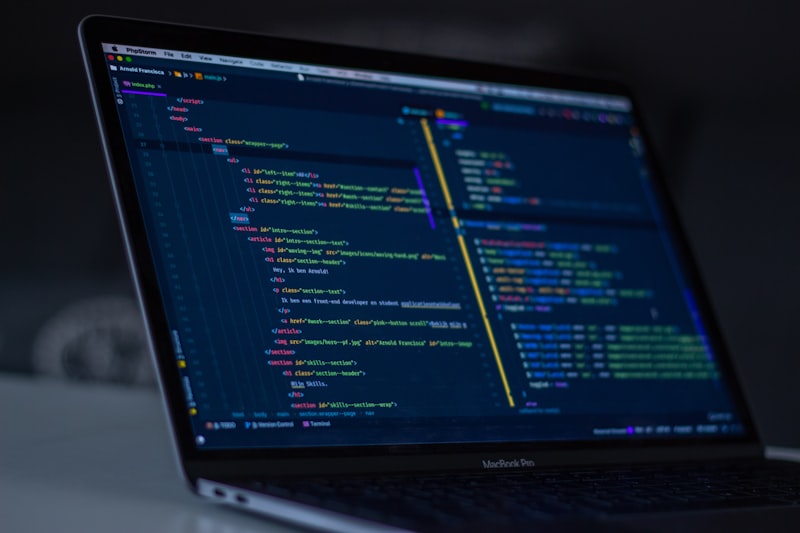
SIMRS data migration is often a daunting prospect due to the potential downtime that disrupts services. This article presents strategies and practical implementation for migrating SIMRS data without downtime, ensuring smooth hospital operations and data integrity.
Hospital Management Information System (SIMRS) data migration is one of the most challenging IT projects in the healthcare sector. The main challenge is the need to keep hospital operations running 24/7 without interruption. Downtime, even only 1-2 hours, can result in significant financial losses, estimated at tens to hundreds of millions of rupiah per hour, as well as serious risks to patient safety due to hindered access to medical records or critical service processes. Imagine a scenario where a doctor cannot access a patient's allergy history in the emergency unit or a pharmacy cannot record drug prescriptions. This situation is not only disruptive, but life-threatening. Therefore, a zero-downtime SIMRS data migration strategy becomes a necessity, no longer an option. This article will guide you through the basic concepts, technical implementation strategies, real code examples, error handling, and best practices to achieve a smooth and uninterrupted SIMRS data migration, ensuring your healthcare system continues to operate optimally.
Basic Concepts of Zero-Downtime Data Migration
Zero-downtime data migration in the context of SIMRS is the process of moving data from an old SIMRS system to a new SIMRS system without stopping hospital services. This is crucial given the nature of hospital operations that never stop. Its main principle is to keep both systems (old and new) operating in parallel for a certain period, ensuring all data changes in the old system are replicated in real time to the new system, before finally performing a cutover or full switchover to the new system.
There are several key strategies used to achieve zero downtime. First, incremental migration, in which large amounts of historical data are moved first (bulk load) when system load is low, followed by synchronization of data changes that occur after the bulk load. Second, real-time data synchronization or Change Data Capture (CDC), which ensures every transaction (insert, update, delete) in the old system is immediately replicated to the new system. This can be achieved through database triggers, log-based CDC, or dual-write at the application level.
Third, dual-write/shadowing, which is when the new application also writes data to the old system during the transition phase. This provides an additional layer of security and allows easier rollback if problems occur. Finally, a phased cutover strategy, in which certain modules or functionality are moved to the new system gradually, not all at once. For example, the registration module is moved first, followed by the medical records, pharmacy, and so on. This approach minimizes risk and allows the team to adapt.
As a concrete example, imagine a hospital that wants to migrate from a desktop-based SIMRS (for example, a Visual Basic 6 application with a SQL Server 2008 backend) to a modern web-based SIMRS (for example, a Laravel 11 application with PostgreSQL 16). The challenge is not only the difference in technology, but also the differences in database schema and the need for integration with external platforms such as BPJS VClaim 1.1 or the SatuSehat FHIR R4 API. During migration, patient data, visits, medical records, billing, and pharmacy stock must remain consistent in both systems. This process requires careful planning, in-depth data analysis, and precise technical implementation to maintain data integrity and referential integrity, where a single patient record must have a correct relationship with its visit data or medical record data.
Technical Implementation Strategy
The implementation of zero-downtime SIMRS data migration can be divided into several crucial interrelated phases, starting from preparation to the final transition.
Phase 1: Preparation & In-Depth Analysis. This is the foundation of every successful migration. First, data mapping. Every column from tables in the old system must be accurately mapped to columns in the new system. For example, the pasien.no_rm column in the old system may need to be mapped to patients.medical_record_number in the new system, taking into account data type changes (for example from VARCHAR(10) to UUID or the more flexible VARCHAR(20)). Second, data cleansing. Identify and fix inconsistencies, duplications, or invalid data in the source system. For example, patient NIK that does not match the 16-digit format, illogical dates of birth, or empty patient names. This process can significantly reduce the migration failure percentage, often from 15-20% to below 1%. Third, infrastructure readiness. Ensure the new server has adequate specifications (CPU, RAM, NVMe SSD Storage) and stable network bandwidth to accommodate double workload and synchronization processes. For a modern SIMRS, using PostgreSQL 16 or MySQL 8.0 as the database, with an Nginx web server and a Laravel 11.x-based application, is highly recommended.
Phase 2: Initial Migration (Bulk Load). After preparation is complete, large amounts of historical data are moved. This is usually done during a time window with the lowest traffic, although the goal is to minimize impact. Use the high-speed data transfer features provided by the database, such as the COPY command in PostgreSQL or BULK INSERT in SQL Server. For example, moving 500,000 patient records, 2,000,000 visit records, and 10,000,000 medical record records can take several hours. It is important to validate data after the bulk load to ensure there is no data loss or corruption. Checksum techniques or row count comparisons per table can be used for initial verification.
Phase 3: Real-time Data Synchronization (Change Data Capture - CDC). This is the core of zero-downtime migration. Implement a CDC mechanism to capture and replicate every data change occurring in the old system to the new system instantly. CDC options include: a) Database Triggers: Create triggers on crucial tables in the old database to record every INSERT, UPDATE, or DELETE into a log table or send them to a message queue. b) Log-based CDC: Use tools such as Debezium (for Apache Kafka) that read the database transaction log (WAL in PostgreSQL, binlog in MySQL) to capture changes without significantly burdening the source database. c) Application-level CDC (Dual-write): Modify the old or new application code to write data to both systems simultaneously. For external integration, ensure the new SIMRS supports standards such as BPJS VClaim API version 1.1 and SatuSehat FHIR R4 API. Using Node.js 20 LTS or Python 3.10+ to build a synchronization microservice can provide optimal flexibility and performance.
Code Implementation Example
This section will present code implementation examples that can be used to support a zero-downtime data migration strategy. These codes are designed to provide a concrete overview of how CDC and dual-write can be implemented in a typical SIMRS environment.
Code Block 1: CDC Using PostgreSQL Trigger for the `pasien` Table
Database triggers are one of the most direct methods for capturing data changes. The example below shows how to create a trigger function in PostgreSQL that will record every change to the pasien table into the pasien_audit_log table. This pasien_audit_log table can then be read by the synchronization microservice to replicate changes to the new SIMRS.
-- Buat tabel log untuk menyimpan perubahan data pasienLama (PostgreSQL)CREATE TABLE pasien_audit_log ( id SERIAL PRIMARY KEY, operation_type VARCHAR(10) NOT NULL, -- 'INSERT', 'UPDATE', 'DELETE' old_data JSONB, new_data JSONB, changed_at TIMESTAMP DEFAULT NOW(), pasien_id INT);-- Buat fungsi triggerFUNCTION log_pasien_changes()RETURNS TRIGGER AS $$BEGIN IF (TG_OP = 'INSERT') THEN INSERT INTO pasien_audit_log (operation_type, new_data, pasien_id) VALUES (TG_OP, to_jsonb(NEW), NEW.id_pasien); RETURN NEW; ELSIF (TG_OP = 'UPDATE') THEN INSERT INTO pasien_audit_log (operation_type, old_data, new_data, pasien_id) VALUES (TG_OP, to_jsonb(OLD), to_jsonb(NEW), NEW.id_pasien); RETURN NEW; ELSIF (TG_OP = 'DELETE') THEN INSERT INTO pasien_audit_log (operation_type, old_data, pasien_id) VALUES (TG_OP, to_jsonb(OLD), OLD.id_pasien); RETURN OLD; END IF;END;$$ LANGUAGE plpgsql;-- Buat trigger pada tabel pasienCREATE TRIGGER pasien_changes_triggerAFTER INSERT OR UPDATE OR DELETE ON pasienFOR EACH ROW EXECUTE FUNCTION log_pasien_changes();Code Explanation 1: This code defines a pasien_audit_log table that will record the details of every operation (INSERT, UPDATE, DELETE) on the pasien table. The log_pasien_changes() function is the core of this trigger. When an operation occurs, the function checks the operation type (TG_OP) and then inserts a record into the log table, including old data (OLD) and new data (NEW) in JSONB format. JSONB is very useful because it allows flexible storage of semi-structured data. The pasien_changes_trigger trigger is then attached to the pasien table, ensuring every change is immediately recorded. The synchronization microservice, perhaps built with Node.js 20 LTS or Python, can continuously monitor this pasien_audit_log table, retrieve new entries, and apply them to the new SIMRS database.
Code Block 2: Laravel 11.x Dual-Write Logic for the New Pasien Model
In the new SIMRS application built with Laravel 11.x, we can implement dual-write logic. This means that every time there is a CREATE or UPDATE operation on the Pasien model in the new system, the data is also sent to the old system (if still active) or to a synchronization queue to be processed by a microservice that communicates with the old system. This ensures data consistency in both directions during the transition period.
// app/Models/Pasien.php (Laravel 11.x)use Illuminate\Database\Eloquent\Factories\HasFactory;use Illuminate\Database\Eloquent\Model;use App\Jobs\SyncPatientToLegacySystem; // Job untuk sinkronisasi// Pastikan Anda telah menginstal Guzzle HTTP Client untuk API requests (composer require guzzlehttp/guzzle)class Pasien extends Model{ use HasFactory; protected $table = 'patients'; // Nama tabel di SIMRS baru protected $fillable = [ 'medical_record_number', 'nik', 'nama_lengkap', 'tanggal_lahir', 'alamat', 'jenis_kelamin' ]; protected static function booted() { static::created(function (Pasien $pasien) { // Kirim data pasien baru ke sistem lama atau antrian sinkronisasi // Contoh: Mengirim ke Job Queue untuk diproses secara asynchronous SyncPatientToLegacySystem::dispatch($pasien->id, 'create'); }); static::updated(function (Pasien $pasien) { // Kirim data pasien yang diperbarui ke sistem lama atau antrian sinkronisasi SyncPatientToLegacySystem::dispatch($pasien->id, 'update'); }); // Anda juga bisa menambahkan `deleted` event jika diperlukan }}// app/Jobs/SyncPatientToLegacySystem.php (Laravel 11.x)use Illuminate\Bus\Queueable;use Illuminate\Contracts\Queue\ShouldQueue;use Illuminate\Foundation\Bus\Dispatchable;use Illuminate\Queue\InteractsWithQueue;use Illuminate\Queue\SerializesModels;use App\Models\Pasien;use Illuminate\Support\Facades\Http; // Laravel HTTP Clientclass SyncPatientToLegacySystem implements ShouldQueue{ use Dispatchable, InteractsWithQueue, Queueable, SerializesModels; protected $pasienId; protected $operation; public function __construct($pasienId, $operation) { $this->pasienId = $pasienId; $this->operation = $operation; } public function handle(): void { $pasien = Pasien::find($this->pasienId); if (!$pasien) { return; } // Contoh: Kirim data ke API sistem lama try { $response = Http::post(env('LEGACY_SIMRS_API_URL') . '/sync-patient', [ 'operation' => $this->operation, 'data' => $pasien->toArray() // Kirim data pasien // Tambahkan token atau autentikasi jika diperlukan ]); if ($response->successful()) { // Log sukses \n\n } else { // Log error atau coba lagi \n\n } } catch (\\Exception $e) { // Log exception \n\n } }}Code Explanation 2: In the Pasien model in Laravel, we use the created and updated model events. Every time a new patient is created or existing patient data is updated, a SyncPatientToLegacySystem job will be dispatched to the queue. The use of jobs and queues (for example with Redis or the database driver) is very important to ensure that the synchronization process does not block the main application response and can be retried if it fails. This job will then retrieve patient data and send it to the legacy SIMRS system API (or to a microservice that communicates with the legacy system). This example uses the Laravel HTTP Client to make a POST request. This approach allows both systems to have consistent data during the transition period, providing flexibility to perform a gradual cutover.
Data and Error Handling
Data migration, especially involving critical systems such as SIMRS, is not immune to potential errors. A robust data and error handling strategy is the key to success. We must anticipate failures, whether due to data inconsistency, network issues, or system failures.
Example FHIR R4 Data Payload (Patient Resource)
In the context of modern SIMRS, the FHIR (Fast Healthcare Interoperability Resources) R4 standard has become the backbone of interoperability. When migrating or synchronizing patient data, data is often converted to FHIR format. The following is an example of a realistic JSON payload for the Patient resource, which might be sent to the SatuSehat platform or a new SIMRS that supports FHIR:
\nThe payload above shows how patient data is represented in a structured manner, with a unique identifier (NIK or medical record number), name, gender, date of birth, address, and contact. In migration implementation, it is important to ensure that each field is mapped correctly from the old SIMRS database schema to the FHIR resource. Validation against the FHIR profile used (for example, the Patient profile from the Ministry of Health) must be performed before data is sent, to avoid rejection from the destination system. In addition, use an idempotency mechanism on the destination API, for example by utilizing the If-None-Exist header or storing a submission log, so that resending due to retry does not create duplicate data.
For error handling, implement a dead letter queue (DLQ) strategy on the queue. If a job fails after several attempts, move it to the DLQ to be analyzed manually without stopping other synchronization processes. Record every failure along with the payload and error response in a dedicated log table, complete with timestamp and status. Monitor the number of failed jobs in real-time, and create an alert if it exceeds a certain threshold. Thus, the team can immediately take corrective action before a small problem develops into a major disruption.
Practical Tips for Migration Without Downtime
First, perform a gradual migration using the strangler fig pattern approach. Start by moving the least critical modules, such as patient registration or outpatient clinic queues, while continuing to run the old system for other modules. Use feature flags to enable or disable new routes without needing to redeploy. This allows you to test functionality in the production environment with minimal risk, and quickly revert to the old system if problems occur.
Second, set up a staging environment identical to production, including data volume and network configuration. Perform a full migration simulation in staging, measure execution time, and identify bottlenecks. Use tools such as pt-online-schema-change or gh-ost for database schema changes without locking tables. Also ensure you have the latest and tested backup before starting the migration, as well as a clear rollback plan. Train the team to execute rollback procedures in emergency scenarios.
Third, communicate the migration plan to all stakeholders, including medical and IT staff. Create a clear schedule, for example, migration is performed outside peak hours, and provide information about potential brief disruptions. Provide a dedicated communication channel for reporting issues during the process. After the migration is complete, perform random data verification between the old and new systems to ensure consistency, and run intensive monitoring during the first few days.
FAQ
Is downtime-free migration really possible for SIMRS?
Yes, it is very possible with the right strategy. The key is two-way data synchronization during the transition period, using queues to handle asynchronous processes, and gradual cutover per module. With careful planning and thorough testing, downtime can be completely avoided.
What if a failure occurs during migration?
Ensure you have a tested rollback mechanism. If using a gradual approach, you can switch traffic back to the old system for the affected modules. In addition, monitor error logs in real-time and prepare an on-call team to respond quickly.
Is it necessary to use FHIR for SIMRS migration?
Not mandatory, but highly recommended if the destination system or national health ecosystem (such as SatuSehat) supports FHIR. FHIR provides interoperability standards that facilitate long-term integration and reduce the need for custom mapping.
How long does the migration process usually take?
The duration varies greatly depending on complexity and data volume. Gradual migration can take weeks to months. The most important thing is to ensure each stage runs stably before proceeding to the next stage.
SIMRS data migration without downtime is not a one-time project, but a journey that requires careful planning, disciplined execution, and continuous monitoring. By adopting asynchronous synchronization strategies, robust error handling, and the practical tips above, you can minimize risks and ensure continuity of healthcare services. Do not hesitate to involve experts and experienced teams to assist with this process. Consult your SIMRS migration needs now and get solutions tailored to your institution's infrastructure and interoperability targets. Contact our team for an initial audit and a comprehensive migration plan.
This article is part of the education by Nugroho Setiawan, IT consultant Jogja. Related solutions: SIMRS Integrator Bridging BPJS & SatuSehat. Need free consultation?
Komentar
Belum ada komentar. Jadilah yang pertama!
Saya membantu konsultasi IT & pengembangan aplikasi untuk rumah sakit, klinik, dan bisnis di Yogyakarta (DIY), Magelang, dan sekitarnya.
Artikel Terkait
Baca juga artikel lainnya