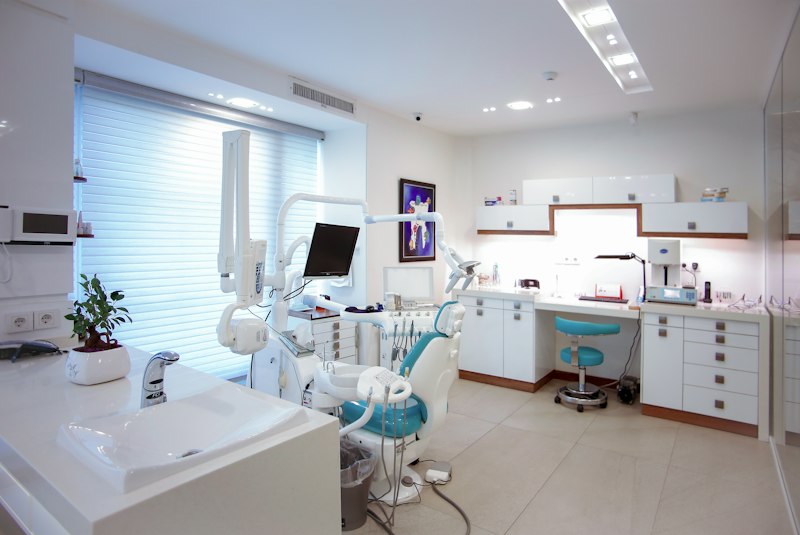
Learn comprehensive digital marketing strategies for clinics, from building a digital foundation to optimizing it to attract a steady flow of patients. This article covers technical implementation, code examples, and best practices.
In today's digital era, health clinics are faced with a unique challenge: how to attract new patients and retain existing ones amidst fierce competition. Many clinics, despite offering high-quality medical services, struggle to fill their appointment schedules. Traditional marketing approaches such as banners or newspaper ads are increasingly losing relevance, and trends show that more than 75% of patients seek health information online before deciding to visit. It's no longer about 'if' your clinic should be online, but 'how' you do it effectively. Ignoring the digital realm means missing out on a huge potential market. This article will guide you through a comprehensive digital marketing strategy, from building a digital foundation from scratch to optimizing it to attract a steady stream of patients. We will discuss the main pillars, technical implementation with specific tools and versions, real code examples for integration, and best practices to ensure your clinic is not only visible but also the top choice in patients' minds.
Basic Concepts of Clinic Digital Marketing: Building a Strong Foundation
Digital marketing for clinics is not just about having social media accounts, but an integrated ecosystem that works synergistically to achieve business goals. The main pillars that must be understood include:
1. Professional Web Presence: This is your digital business card. An informative, responsive (mobile-friendly), and easy-to-navigate website or landing page is crucial. Statistics show that 50% of users will leave a site if it takes more than 3 seconds to load. Ensure your site lists services, doctor profiles, practice schedules, patient testimonials, and clear contact information. Concrete example: 'Sehat Selalu' Clinic in Surabaya managed to increase the number of appointments by 30% after launching a new website focused on user experience and featuring an intuitive online booking feature.
2. Local Search Engine Optimization (SEO): The majority of health-related searches are local ("nearest dental clinic", "pediatrician South Jakarta"). Optimizing local SEO means ensuring your clinic appears at the top of Google Maps and Google Search results when potential patients search for services in your area. This involves optimizing Google My Business (GMB), using local keywords, and getting positive reviews. Research from BrightLocal in 2023 shows that businesses with optimized GMB profiles receive on average 7x more clicks than those without.
3. Social Media Marketing: Platforms like Instagram, Facebook, and TikTok are powerful tools for building brand awareness and engagement. Relevant content such as health tips, behind-the-scenes of the clinic, or Q&A sessions with doctors can build trust. It is important to choose the platform most used by your target audience. For example, a beauty clinic might be more suitable on Instagram and TikTok, while a general clinic might be effective on Facebook.
4. Paid Ads: For faster and more measurable results, paid advertising on Google Ads (Search & Display) and Meta Ads (Facebook & Instagram) is very effective. You can target audiences based on demographics, interests, and geographic location. Example: With a budget of IDR 5,000,000/month on Google Ads, a clinic in Bandung managed to get 150 high-quality clicks and 25 new appointments in one month, with a cost per acquisition (CPA) of around IDR 200,000 per patient.
5. Customer Relationship Management (CRM) & Automation: After patients come, how do you retain them? A CRM system helps manage patient data, visit history, and communication. Automating appointment reminder emails or birthday greetings can increase loyalty and reduce no-show rates by up to 30%.
Technical Implementation & Technology Choices for Modern Clinics
Realizing a digital marketing strategy requires a strong technical foundation. The right technology choices will ensure scalability, security, and operational efficiency.
- Website/Landing Page Development:
- Ready-to-Use CMS: For startups or clinics with limited budgets, WordPress is a popular choice. With PHP 8.2+ and MySQL 8.0+ database, WordPress 6.x offers flexibility. Plugins like Elementor Pro (version 3.17.x) for page builder and 'Bookly' (version 24.x) for booking systems can accelerate development. Health-specific themes like 'Mediz' or 'HealthFlex' are often already mobile-responsive.
- Custom Development: For more complex needs and deep integration with internal systems (SIMRS/SIM Klinik), custom development using frameworks is more recommended. We recommend Laravel 11.x (PHP 8.3+) for the backend, with PostgreSQL 16.x database offering superior performance and scalability. For the frontend, React (version 18.x) or Vue.js (version 3.x) with Node.js 20 LTS provides a dynamic user experience.
- Hosting: Services like AWS Lightsail or DigitalOcean Droplets (starting from $5/month for basic specifications) are very suitable for clinics. Ensure you use SSL/TLS certificates (Let's Encrypt) for patient data security and SEO.
- Integrated Online Booking System:
The key to efficiency is integration. If your clinic already has a Clinic Management Information System (SIM Klinik), the online booking system must be able to 'talk' to it. This can be done through a RESTful API. For example, a web booking system (built with Laravel) can call the SIM Klinik API to check doctor availability and time slots, then send the data of patients who have booked. For future interoperability, consider the FHIR R4 (Fast Healthcare Interoperability Resources) standard recommended by the Indonesian Ministry of Health for the SatuSehat Platform. HAPI FHIR (version 6.8.x) is a widely used Java library for implementing FHIR servers. Although it may be too complex for small clinics, understanding the concept is important for larger integrations.
- Analytics and Tracking:
Google Analytics 4 (GA4) is an essential tool for tracking visitor behavior on your website. Implementation is done through the latest version of Google Tag Manager (GTM), which allows you to manage tracking tags without directly modifying the site code. With GA4, you can monitor conversions (e.g., number of successful appointments), traffic sources, and visitor demographics. This provides concrete data to optimize your marketing strategy.
- Patient Data Security:
In accordance with the Personal Data Protection Act (UU PDP) No. 27 of 2022, patient data security is a top priority. Ensure all systems use end-to-end encryption, role-based access control (RBAC), and audit trails. Use HTTPS protocols and ensure your hosting server complies with security standards such as ISO 27001. Regular third-party security audits are also highly recommended.
Example Implementation Code: Building Digital Interactions
To provide a concrete picture, let's look at how technical aspects support marketing goals. Here is a simple code example for handling an online appointment form and basic validation.
1. Backend: Laravel Controller for Appointment Booking
This is a simple example of how an API endpoint in Laravel receives appointment data from the frontend, performs validation, and saves it to the database. Assume you already have the Appointment and Patient models and the corresponding database migrations.
<?phpnamespace App

use Illuminate

use App

use App

use Illuminate

class AppointmentController extends Controller
{
    public function store(Request $request)
    {
        // 1. Validate Input
        $validatedData = $request->validate([
            'patient_name' => 'required|string|max:255',
            'patient_phone' => 'required|string|max:20',
            'patient_email' => 'nullable|email|max:255',
            'doctor_id' => 'required|exists:doctors,id',
            'appointment_date' => 'required|date|after_or_equal:today',
            'appointment_time' => 'required|date_format:H:i',
            'notes' => 'nullable|string|max:500',
        ]);

        try {
            // 2. Find or Create New Patient
            $patient = Patient::firstOrCreate(
                ['phone_number' => $validatedData['patient_phone']],
                [
                    'name' => $validatedData['patient_name'],
                    'email' => $validatedData['patient_email'],
                ]
            );

            // 3. Create Appointment
            $appointment = Appointment::create([
                'patient_id' => $patient->id,
                'doctor_id' => $validatedData['doctor_id'],
                'appointment_date' => $validatedData['appointment_date'],
                'appointment_time' => $validatedData['appointment_time'],
                'status' => 'pending', // Default status
                'notes' => $validatedData['notes'],
            ]);

            // 4. Optional: Send Confirmation Email (using Laravel Mail)
            // Mail::to($patient->email)->send(new AppointmentConfirmation($appointment));
            Log::info('New appointment created: ' . $appointment->id);

            return response()->json([
                'message' => 'Appointment successfully created.',
                'appointment_id' => $appointment->id
            ], 201);
        } catch (\Exception $e) {
            Log::error('Appointment creation failed: ' . $e->getMessage());
            return response()->json([
                'message' => 'An error occurred while creating the appointment.',
                'error' => $e->getMessage()
            ], 500);
        }
    }
}
The code above shows how data from an online form (for example, from a website using JavaScript to send data to this API) is received, validated, and then stored. This is the core of how an online booking system works, connecting patients with the clinic digitally. The validation of doctor_id using exists:doctors,id ensures that the submitted doctor ID actually exists in the database, preventing invalid data.
2. Frontend: Simple Validation with JavaScript (ES6)
Before data is sent to the backend, client-side validation can improve user experience by providing instant feedback. Here is a simple example of validation for the name and phone fields.
<script>document.addEventListener('DOMContentLoaded', function() {
    const bookingForm = document.getElementById('bookingForm');
    if (bookingForm) {
        bookingForm.addEventListener('submit', function(event) {
            let isValid = true;
            const patientName = document.getElementById('patient_name');
            const patientPhone = document.getElementById('patient_phone');
            const nameError = document.getElementById('nameError');
            const phoneError = document.getElementById('phoneError');

            nameError.textContent = ''; // Clear previous errors
            phoneError.textContent = '';

            if (patientName.value.trim() === '') {
                nameError.textContent = 'Patient name is required.';
                isValid = false;
            }

            if (patientPhone.value.trim() === '' || !/^\+?[0-9]{7,15}$/.test(patientPhone.value.trim())) {
                phoneError.textContent = 'Phone number is required and must be in the correct format (min. 7 digits).';
                isValid = false;
            }

            if (!isValid) {
                event.preventDefault(); // Stop form submission
            } else {
                // If valid, you can send data to the backend (e.g., via fetch API)
                // Example:
                // fetch('/api/appointments', {
                //     method: 'POST',
                //     headers: { 'Content-Type': 'application/json' },
                //     body: JSON.stringify({
                    // patient_name: patientName.value,
                    // patient_phone: patientPhone.value,
                    // ... other fields
                //     })
                // }).then(response => response.json())
                //   .then(data => console.log(data))
                //   .catch(error => console.error('Error:', error));
            }
        });
    }
});</script>
This JavaScript code prevents form submission if the name or phone number is invalid, providing quick feedback to the user. The regex ^\+?[0-9]{7,15}$ is used to validate the phone number to match the common format (optional '+' followed by 7-15 digits). The combination of frontend and backend validation is a best practice to ensure data integrity and a good user experience.
Data Integration & Error Handling: Ensuring a Smooth Information Flow
Digital marketing does not stop at patient acquisition; integration with the clinic's internal systems is key to a seamless patient experience and efficient operations. This often involves data exchange between the online booking system, the Clinic Management Information System (SIM Klinik), and even the SatuSehat platform.
1. Example Appointment Booking Data Payload (JSON)
When a patient books online, this data needs to be sent to the SIM Klinik. Below is an example of a realistic JSON payload, which can be used as API input to your SIM Klinik system. This payload is designed to be easily mapped to patient and appointment data objects.
{ "appointmentId": "APP-20241027-001", "patient": { "id": null, "name": "Budi Santoso", "dob": "1990-05-15", "gender": "L", "phone": "+6281234567890", "email": "budi.santoso@example.com", "address": "Jl. Merdeka No. 10, Jakarta Pusat" }, "doctor": { "id": "DR001", "name": "Dr. Ani Wijaya, Sp.PD" }, "clinic": { "id": "CL001", "name": "Klinik Sehat Bersama" }, "service": "Pemeriksaan Umum", "appointmentDetails": { "date": "2024-10-27", "time": "10:00", "durationMinutes": 30, "status": "booked", "notes": "Patient wants a consultation regarding fever." }, "source": "Online Booking Website"}This payload includes patient details (which may be new or existing), the selected doctor, clinic, service, and appointment details. appointmentId can be generated by the booking system or by the SIM Klinik. It is important to ensure consistency in data formats, especially dates and times, to avoid integration issues.
2. Example Error Messages and Handling
In any integration, error handling is a crucial aspect. Imagine a patient tries to book, but the doctor is already fully booked or there is a problem with the SIM Klinik system. Below is an example error response from the SIM Klinik API and how to handle it on the frontend side.
Example Error Message (JSON):
{ "status": 400, "code": "DOCTOR_UNAVAILABLE", "message": "Doctor Ani Wijaya is not available on 2024-10-27 at 10:00. Please choose another time.", "details": { "requested_doctor_id": "DR001", "requested_date": "2024-10-27", "requested_time": "10:00", "available_slots": ["11:00", "14:00"] }}How to Handle It on the Frontend:
When the frontend receives this error (HTTP status 400), it must interpret the code and message to display user-friendly information. For example, instead of showing "Error 400 Bad Request", the system should display: "We're sorry, Dr. Ani Wijaya is not available at 10:00. Would you like to try at 11:00 or 14:00?" If there is details.available_slots, the system can even suggest alternative time slots automatically. This improves the patient experience and reduces frustration. Error logs on the backend should also record these details for debugging and monitoring purposes.
Best Practices: Optimizing Your Clinic's Digital Marketing Strategy
Implementing a digital marketing strategy requires more than just activating a few tools. Below are best practices that will help your clinic reach its full potential:
- Prioritize the Patient Journey: Every digital touchpoint, from Google searches to online booking, must be designed for patient ease and comfort. Ensure the website is responsive on mobile devices, forms are easy to fill out, and important information is easy to find. A study from Accenture shows that 80% of patients are willing to switch healthcare providers if their digital experience is poor.
- Maintain Branding and Messaging Consistency: Ensure logos, color schemes, and tone of communication are consistent across all digital platforms (website, social media, email). This builds trust and makes your clinic easily recognizable. Your messaging should highlight the clinic's unique value, such as "Clinic X: Pediatric Care Specialists with a Holistic Approach" or "Clinic Y: Fast and Friendly Service for Your Family's Health."
- Leverage the Power of Data and Analytics: Don't just collect data, but also analyze it. Use Google Analytics 4 to understand visitor behavior, Google Search Console to track SEO performance, and reports from advertising platforms to measure ROI. This data allows you to make evidence-based decisions, such as allocating advertising budget to the most effective campaigns or optimizing pages with low conversion rates.
- Focus on Local SEO and Online Reviews: For clinics, local SEO is everything. Optimize your Google My Business profile thoroughly with accurate information, operating hours, high-quality photos, and active responses to reviews. Encouraging patients to leave positive reviews on Google and other platforms can significantly improve your visibility and reputation. Clinics with an average rating of 4.5+ stars tend to get 2x more new appointments.
- Create Educational and Valuable Content: Develop a blog or article section on your website that discusses relevant health topics. Articles about "Dengue Fever Symptoms to Watch Out For" or "Tips for Maintaining Heart Health" not only attract organic traffic but also position your clinic as an authority and trusted source of information. Short video content on social media is also very effective.
- Ensure Data Security and Privacy (PDP Law): This is non-negotiable. Comply with the highest data security standards and regulations such as PDP Law No. 27 of 2022. Communicate your privacy policy transparently. The use of HTTPS, data encryption, and access restrictions is mandatory. Patient trust in the handling of their data is the foundation of a long-term relationship.
- Integration with Internal Systems (Clinic MIS/Hospital MIS): Seamless integration between your online booking system, CRM, and Clinic MIS eliminates manual data entry, reduces errors, and improves efficiency. It also enables comprehensive tracking of patient history, from first contact to repeat visits, ensuring more personalized and coordinated care. Consider FHIR-based APIs for more standardized and future-ready integration.
- Conduct A/B Testing Regularly: Don't assume. Test various elements on your website or ads, such as headlines, images, calls-to-action, or layout. For example, test two versions of a landing page to see which generates more appointment conversions. Tools like Google Optimize (though it will be discontinued, alternatives like VWO or Optimizely can be used) or A/B testing features in advertising platforms can help you continuously improve campaign performance.
FAQ: Common Questions About Digital Marketing for Clinics
- 1. How long does it take to see results from a digital marketing strategy?
- The time to see results varies depending on the strategy, budget, and level of competition. For paid advertising (Google Ads, Meta Ads), you can see results within days or weeks. However, for a sustainable organic SEO strategy, it usually takes 3-6 months to start seeing significant improvements in search rankings and traffic. Consistency is key in the long term.
- 2. What if my clinic's digital marketing budget is limited?
- With a limited budget, focus on low-cost but high-impact organic strategies. Optimizing Google My Business, local SEO, and producing educational content on social media are good starting points. You can also start with paid advertising campaigns with very specific targets and a small budget, then scale up as ROI is proven. Prioritize what provides the greatest value.
- 3. How do I choose the right social media platform for my clinic?
- The choice of platform should be based on where your target audience is most active. For a general or family clinic, Facebook may still be relevant due to its broad user demographics. For a beauty, dental, or pediatric specialist clinic, Instagram and TikTok may be more effective due to their visual nature and younger user demographics. Research your audience and choose 1-2 platforms to focus on in depth.
- 4. How important is patient data privacy in digital marketing?
- Patient data privacy is very important and is a legal obligation under Law No. 27 of 2022 on Personal Data Protection (UU PDP). Any system that collects, stores, or processes patient data must comply with strict security standards, including encryption, access controls, and patient consent. Data privacy breaches can permanently damage a clinic's reputation and lead to severe legal sanctions. Transparency is key.
- 5. Can I do all the digital marketing myself or do I need to hire a professional?
- To start with, you can handle some basic tasks such as managing Google My Business or posting on social media. However, for a comprehensive, in-depth, and integrated strategy, hiring a professional or a digital marketing agency with experience in the healthcare industry is highly recommended. They have the technical and strategic expertise to optimize campaigns and save you time and resources.
- 6. How can I keep existing patients loyal through digital marketing?
- Digital marketing is not only for acquisition, but also for retention. Use email marketing to send monthly newsletters with health tips, check-up schedule reminders, or promotions for new services. A CRM system can help personalize this communication. In addition, being active on social media and responsive to questions or complaints can strengthen relationships with existing patients, making them feel valued and connected to your clinic.
Digital marketing is no longer an option, but an absolute necessity for every clinic that wants to grow and succeed in the modern era. From building a solid web presence to implementing an integrated booking system and analyzing patient data, every step is an investment in your clinic's future. With the right strategy and careful implementation, your clinic can go from zero patients to a full appointment schedule, build a strong reputation, and provide better healthcare services to the community. Don't let your clinic fall behind in this digital competition. If you need help designing, developing, or integrating SIMRS, SIM Klinik, professional website, or BPJS/SatuSehat bridging solutions, Nugroho Setiawan's team is ready to help realize your clinic's digital transformation. Contact us for a free consultation and start your digital journey toward sustainable growth.
This article is part of the knowledge base of Nugroho Setiawan, an IT consultant in Jogja (Yogyakarta). Related solutions: SIMRS (Hospital Information System) Clinic Management System SatuSehat Integration. Need a free consultation?
Komentar
Belum ada komentar. Jadilah yang pertama!
Saya membantu konsultasi IT, pengembangan aplikasi, dan visualisasi data untuk rumah sakit, klinik, dan bisnis di Yogyakarta (DIY), Magelang, dan sekitarnya.
Artikel Terkait
Baca juga artikel lainnya