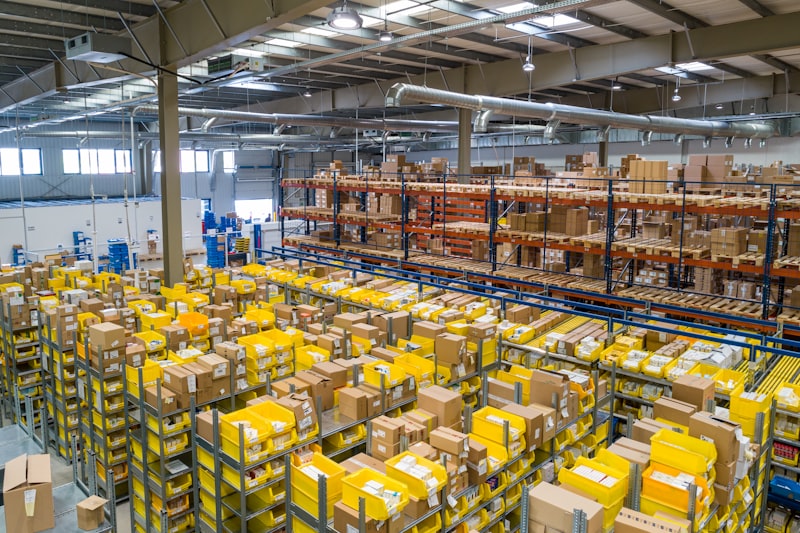
ERP Implementation Tutorial for Manufacturing in Indonesia: A Practical and Applied Guide
Manufacturing companies in Indonesia face high operational complexity. ERP implementation is the key to efficiency and competitiveness. This article will guide you through practical steps, from planning to execution, with examples of real technology and code.
The manufacturing sector in Indonesia is the backbone of the economy, yet it is often faced with complex operational challenges, ranging from inefficient supply chain management, chaotic production scheduling, to inconsistent quality control. Data from the Ministry of Industry shows that the adoption of digital technology in the manufacturing sector still needs to be improved to achieve the Industry 4.0 target. Without an integrated system, manufacturing companies are vulnerable to inventory buildup, delivery delays, and bloated operational costs, which ultimately erode profitability. A study by PWC states that companies with a mature ERP system can reduce operational costs by up to 23% and administrative costs by up to 22%. This is not just a number, but a real reflection of the efficiency potential that can be achieved.
Enterprise Resource Planning (ERP) comes as a comprehensive solution to integrate all business functions on a single platform, from production, inventory, finance, to human resources. For manufacturing companies, ERP is no longer a luxury, but a strategic necessity to improve efficiency, operational visibility, and competitiveness in an increasingly competitive market. This article will guide you through a practical and in-depth ERP implementation tutorial, designed specifically for the context of manufacturing companies in Indonesia. We will discuss basic concepts, technical details with examples of specific tool versions, runnable code snippets, as well as best practices and frequently asked questions, ensuring you have a clear roadmap for digital transformation.
1. Understanding the Basic Concepts and Benefits of ERP in Manufacturing
ERP in the manufacturing sector is an integrated system designed to manage and automate core processes such as production planning, inventory management, procurement, sales, distribution, finance, and human resources. The goal is to create a single source of truth that enables faster and more accurate decision-making. Key modules in manufacturing ERP include: Production Planning for schedule and capacity optimization; Inventory Management to control stocks of raw materials, work in progress, and finished goods; Quality Control to ensure product standards; Supply Chain Management for coordination with suppliers and distributors; as well as Accounting & Finance for cost and revenue tracking.
The benefits of ERP implementation are very concrete. For example, with an advanced production planning module, a textile factory can reduce production lead time by up to 20% due to more optimal machine scheduling. Effective inventory management can cut storage costs by up to 15% and reduce the risk of stockouts that could disrupt production schedules. A real example, an automotive component company in Karawang managed to increase their On-Time Delivery (OTD) from 85% to 98% after implementing an ERP integrated with their production scheduling system. This means higher customer satisfaction and a better reputation in the eyes of business partners.
In addition, ERP provides real-time visibility into all operations. Production managers can see order status, raw material availability, and production line efficiency instantly through a dashboard. The finance department can track production costs per unit more accurately, helping in product profitability analysis. Historical data collected in ERP also becomes a valuable asset for predictive analysis, such as predicting market demand or identifying potential bottlenecks in production. This integration reduces duplicate data entry, minimizes human error, and accelerates workflows between departments, creating a leaner operational environment that is more responsive to market changes.
It is important to note that the selection of ERP modules must be tailored to the specific needs of your manufacturing company. Companies that rely heavily on batch production may need stronger recipe and formulation management features, while companies with mass production will prioritize assembly line optimization and capacity scheduling. Understanding these needs early on will be the foundation of your ERP project's success, avoiding over-engineering or a lack of essential features that can hinder adoption and long-term benefits. ERP is not just software, but a business strategy to achieve operational excellence.
2. Technical Implementation Details & Technology Choices
ERP implementation is a complex project that requires thorough technical planning. A phase-by-phase approach is often more successful than big-bang. The initial phase involves in-depth requirements analysis, followed by system design, development/customization, data migration, testing, training, and finally go-live and post-implementation support. For custom or semi-custom ERP systems, technology selection is crucial. We recommend using a modern technology stack that is scalable and supported by a strong community.
For the database, PostgreSQL version 16.x is an excellent choice. Its advantages lie in its robustness, strong standard SQL support, advanced replication capabilities, and enterprise-grade features such as table partitioning and JSONB support that are very useful for storing semi-structured data. This is important for managing large volumes of transaction data from production, inventory, and finance modules. For example, you can partition the `production_orders` table by date or factory location to improve query performance.
On the backend layer, Node.js version 20 LTS with the Express.js version 4.x framework offers high performance and scalability for building RESTful APIs. Node.js is very efficient for I/O-bound operations, suitable for handling many requests from different ERP modules and integration with external systems such as MES (Manufacturing Execution System) or SCM (Supply Chain Management). We can also use TypeScript to add type safety to the backend code. For ORM (Object-Relational Mapping), Sequelize version 6.x or Prisma version 5.x are popular choices for interacting with PostgreSQL, simplifying database operations.
The frontend can be built using React version 18.x or Vue.js version 3.x, providing a responsive and interactive user experience. The use of UI components such as Material-UI or Ant Design will speed up development and ensure visual consistency. For data integration, standards such as FHIR R4 may be more familiar in the healthcare sector, but similar structured data exchange concepts can be applied using custom JSON or XML schemas according to manufacturing industry standards (for example, B2MML for batch manufacturing). It is also important to consider API security using OAuth 2.0 and JWT (JSON Web Tokens) for authentication and authorization.
Data migration is one of the most challenging phases. Data from legacy systems, spreadsheets, or even manual records must be extracted, transformed, and loaded (ETL) into the new ERP system. ETL tools such as Apache NiFi or custom scripts with Python can be used. Strict data validation during migration is very important to avoid "garbage in, garbage out". For hosting infrastructure, you can choose AWS (Amazon Web Services) with EC2 for the application server and RDS PostgreSQL for the database, or Google Cloud Platform (GCP) with Compute Engine and Cloud SQL PostgreSQL, offering high scalability and reliability according to the needs of modern manufacturing companies.
3. Example of a Simple ERP Implementation Code
This section will present an example of runnable code to illustrate how the core functionality of a manufacturing ERP can be implemented using the technologies mentioned. We will focus on two aspects: creating a new production order via API and managing raw material inventory.
Code Example 1: API Endpoint to Create a New Production Order (Node.js with Express.js and PostgreSQL)
The following is an example of an API endpoint using Node.js (Express.js) to receive production order data. We will use the express-validator library for basic input validation.
// server.js (or productionOrderRoutes.js)const express = require('express');const { body, validationResult } = require('express-validator');const { Pool } = require('pg');const router = express.Router();const pool = new Pool({user: 'erpuser',host: 'localhost',database: 'erp_manufaktur',password: 'passwordku',port: 5432,});router.post('/production-orders', [ body('product_sku').notEmpty().withMessage('Product SKU is required.'), body('quantity').isInt({ min: 1 }).withMessage('Quantity must be a positive number.'), body('scheduled_date').isISO8601().withMessage('Invalid scheduled date.'), body('status').isIn(['pending', 'in-progress', 'completed', 'cancelled']).withMessage('Invalid status.') ], async (req, res) => { const errors = validationResult(req); if (!errors.isEmpty()) { return res.status(400).json({ errors: errors.array() }); } const { product_sku, quantity, scheduled_date, status } = req.body; try { const client = await pool.connect(); const result = await client.query( 'INSERT INTO production_orders(product_sku, quantity, scheduled_date, status, created_at) VALUES($1, $2, $3, $4, NOW()) RETURNING *', [product_sku, quantity, scheduled_date, status] ); client.release(); res.status(201).json({ message: 'Production order successfully created', order: result.rows[0] }); } catch (err) { console.error('Error creating production order:', err); res.status(500).json({ message: 'Failed to create production order', error: err.message }); } });// In your app.js you would use:app.use('/api', router);The code above defines a POST endpoint at `/api/production-orders`. Before processing the request, it performs input validation to ensure `product_sku` is not empty, `quantity` is a positive integer, `scheduled_date` is a valid ISO8601 date format, and `status` is one of the allowed values. If validation fails, the API will return a 400 Bad Request status with error details. If validation succeeds, the data will be saved to the `production_orders` table in PostgreSQL. This is the foundation for the production planning module, allowing other systems or user interfaces to create production orders programmatically.
Code Example 2: SQL Function to Calculate Raw Material Stock (PostgreSQL)
For the inventory module, we often need to calculate the available stock of raw materials. The following is an example of an SQL function in PostgreSQL that can calculate the total quantity of raw materials based on SKU, taking into account raw materials already used in in-progress production orders.
-- inventory_functions.sqlCREATE OR REPLACE FUNCTION calculate_available_material_stock(material_sku VARCHAR)RETURNS NUMERICLANGUAGE plpgsqlas $$DECLARE total_on_hand NUMERIC; total_in_use NUMERIC; available_stock NUMERIC;BEGIN -- Get the total raw materials in the warehouse (materials_inventory table) SELECT SUM(quantity) INTO total_on_hand FROM materials_inventory WHERE sku = material_sku; -- Get the total raw materials currently being used or allocated for 'in-progress' production orders -- Assume there is a 'production_order_materials' table that records the materials needed per order SELECT SUM(pom.quantity_needed) INTO total_in_use FROM production_order_materials pom JOIN production_orders po ON pom.order_id = po.id WHERE pom.material_sku = material_sku AND po.status = 'in-progress'; -- Calculate the available stock available_stock := COALESCE(total_on_hand, 0) - COALESCE(total_in_use, 0); RETURN available_stock;END;$$;-- Example usage:SELECT calculate_available_material_stock('RM-001');This `calculate_available_material_stock` function accepts `material_sku` as a parameter and returns the quantity of raw material stock that is actually available. It calculates the total raw materials in the warehouse (`materials_inventory`) and subtracts the raw materials already allocated to in-progress production orders (`production_orders` with 'in-progress' status). This function is very important to ensure production planning does not exceed available raw material capacity, prevent production delays, and optimize inventory management. Integrating this kind of function into an ERP inventory module will provide accurate real-time data for decision-making.
4. Example Payload, Error Handling, and Troubleshooting
In ERP development, communication between systems via API is fundamental. Understanding the payload structure (data sent), how to handle errors, and how to troubleshoot are key to a robust and easily debuggable system. We will use an example from the production order API we have created.
Example JSON Payload for Creating a Production Order:
When a frontend module or external system wants to create a new production order, it will send a JSON payload like this to the `/api/production-orders` endpoint:
The payload generally contains fields such as order_id, product_sku, quantity, due_date, and priority. Ensure each field has data type and allowed value validation before further processing.
{
  "order_id": "PO-2024-001",
  "product_sku": "FG-100",
  "quantity": 500,
  "due_date": "2024-12-31",
  "priority": "high",
  "materials": [
    {"sku": "RM-001", "qty": 250},
    {"sku": "RM-002", "qty": 100}
  ]
}
For error handling, use appropriate HTTP status codes: 400 for invalid payload, 404 if the SKU is not found, 409 if stock is insufficient, and 500 for server failure. Include a consistent JSON response body, for example {"error": "INSUFFICIENT_STOCK", "message": "Stok RM-001 tidak mencukupi", "available": 120}. That way, the frontend team can display an informative message to the user.
Field troubleshooting often arises due to unsynchronized master data. Apply an idempotency key to the order creation endpoint so duplicate requests do not result in duplication. In addition, log every error into a log table (for example api_error_logs) complete with timestamp, endpoint, payload, and stack trace. This practice will be very helpful during audits and production debugging.
Practical Tips for Implementing Manufacturing ERP in Indonesia
First, start with the most painful business processes, not the most sophisticated modules. Many companies fail because they immediately implement all modules at once. Do a phased rollout: start with inventory and production, then continue to purchasing, sales, and accounting. Set clear KPIs at each phase, for example stock accuracy increasing from 85% to 98% within three months.
Second, involve key users from the production floor from the start. In Indonesia, resistance to change is often the biggest obstacle. Hold regular training, create short SOPs in Indonesian, and provide a super user in each division. Also ensure the network infrastructure in the factory is adequate, because many cloud ERPs require a stable connection, especially if the factory location is in an industrial area with limited signal.
Third, pay attention to local compliance aspects such as tax invoice formats, e-Faktur, and BPJS Ketenagakerjaan reports. Choose a vendor or module that already supports Indonesian regulations so that extensive customization is not needed. Finally, perform daily backups and periodically test restore. Do not forget to prepare a budget for change management, not just licensing and technical implementation.
FAQ
How long does ERP implementation take for a medium-scale factory?
Generally 4–9 months depending on process complexity and the number of modules. With a phased rollout approach and a prepared internal team, core implementation (inventory, production, purchasing) can run in the first 3–4 months.
Does ERP have to be cloud-based?
It is not mandatory, but the cloud offers lower upfront costs, scalability, and automatic updates. If the internet connection at the factory location is unstable, hybrid or on-premise options are still relevant for critical production modules.
How to address inconsistent master data?
Perform data cleansing before migration, establish a single source of truth, and implement input validation in the application. Audit data regularly and use functions such as calculate_available_material_stock to ensure accurate stock calculations.
Is code customization necessary for specific needs?
Minimize core customization. Prioritize configuration and extensions through APIs or additional modules. Excessive customization will complicate upgrades and increase long-term maintenance costs.
Conclusion
Implementing manufacturing ERP in Indonesia is not just a technology project, but a business process transformation that requires careful planning, user involvement, and understanding of local regulations. With a phased approach, clean API integration, and good error handling, you can build a robust and scalable system. Do not hesitate to start small, measure the results, then gradually expand the scope.
Need assistance? Our team is ready to help you design an ERP implementation roadmap that suits your factory's needs. Contact us now for a free consultation session and get a complimentary ERP readiness audit.
This article is part of the knowledge base of Nugroho Setiawan, an IT consultant in Jogja (Yogyakarta). Related solutions: BPJS & SatuSehat Integration. Need a free consultation?
Komentar
Belum ada komentar. Jadilah yang pertama!
Saya membantu konsultasi IT & pengembangan aplikasi untuk rumah sakit, klinik, dan bisnis di Yogyakarta (DIY), Magelang, dan sekitarnya.
Artikel Terkait
Baca juga artikel lainnya